
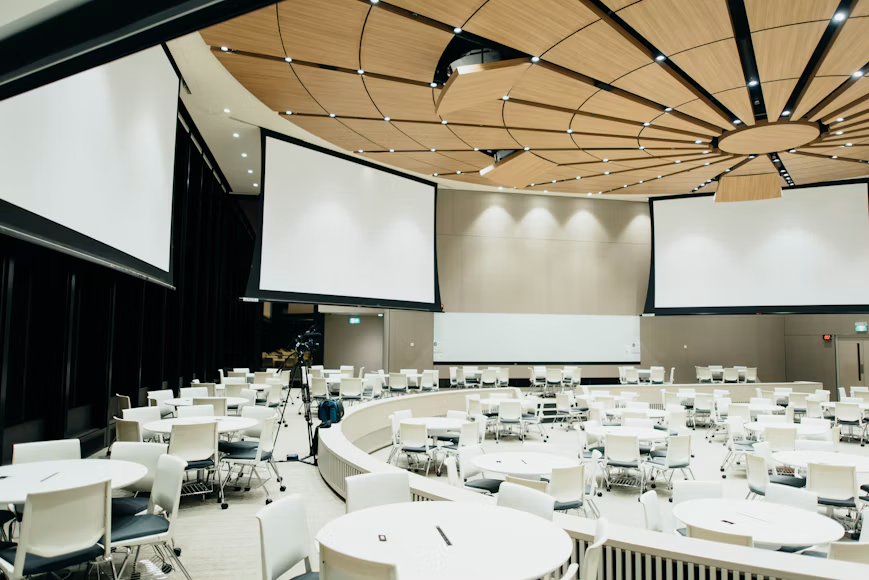
Conferences bring together speakers, sponsors, and attendees, and technology holds the whole program together. Choosing the right hotel audio visual setup helps every session run smoothly, from the opening keynote to the closing remarks. Poor planning can lead to muffled sound, dim screens, and frustrated guests. This guide covers six essential equipment areas to review before your conference.
1. Large Screens and High-Quality Projection
Attendees in every seat should see content clearly. Discuss hotel audio visual needs such as screen size, projector brightness, and resolution with the venue early. Large ballrooms may need side screens or confidence monitors.
Check ceiling height, lighting, and seating layout, since these affect visibility. Bring your slides in a compatible format and test them beforehand. Ask to see the screens.
2. Professional Microphones and Speakers
Good sound keeps audiences attentive. A reliable hotel audio visual package should include podium microphones, wireless handhelds, lapel options, and well-placed speakers. Panel discussions need extra microphones so every voice is heard.
Ask about feedback control and battery backups. Walk the room during the sound check to confirm even coverage from front to back. Ask about backup microphones.
3. Lighting and Stage Equipment
Lighting helps audiences see speakers and creates a professional atmosphere. Hotel audio visual teams can adjust room lights, add stage lighting, and reduce glare on screens. Consider a riser, podium, and clear walkways for presenters.
Balanced lighting also helps cameras capture good footage for recording or streaming, so confirm these settings before sessions begin. Ask whether dimmable lights are available.
4. Recording, Streaming, and Hybrid Tools
Many conferences now reach people beyond the room. Ask whether your hotel audio visual provider supports cameras, live streaming, session recording, and remote speaker connections.
Test platform compatibility and internet capacity in advance. Make sure virtual attendees can hear questions from the room, and assign someone to monitor chat and technical issues. Confirm bandwidth for streaming and presentations.
5. Breakout Rooms and Presentation Switching
Concurrent sessions need consistent technology in every room. Review the hotel audio visual inventory for each breakout space, including displays, microphones, laptop connections, and adapters.
Create a simple schedule for equipment use and technician visits. Label cables and room settings clearly so changes between presenters take seconds instead of minutes. Assign a coordinator to each breakout room.
6. Technical Staff and Backup Plans
Equipment works best with trained people nearby. Request on-site hotel audio visual support throughout the conference, with a direct contact number for urgent issues. Prepare spare cables, batteries, adapters, and copies of presentations.
Hold a rehearsal before opening day, and confirm all costs, hours, and cancellation terms in writing. Keep emergency numbers printed and easily accessible.
Final Thoughts
Successful conferences depend on technology that supports the program instead of distracting from it. Hotel audio visual planning should include screens, sound, lighting, streaming tools, breakout room setups, and responsive technical staff. Begin early, tour the venue, and compare packages from the hotel and outside vendors. Test everything, communicate clearly with speakers, and keep backups ready. With thoughtful preparation, your attendees will enjoy clear sessions, your presenters will feel supported, and your conference can run with confidence.